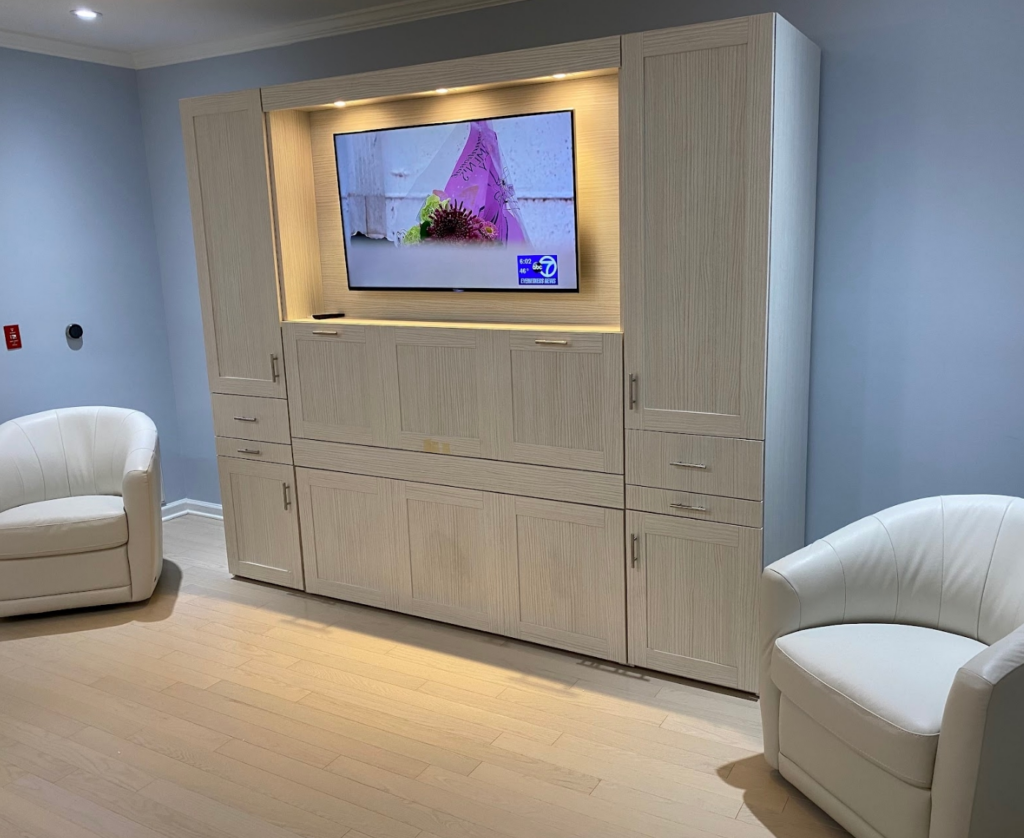
Everything an installer or millworker needs — shop drawings, specifications and a clear, step-by-step process for a flawless result.
For cabinet makers and installers
Drawings are free.
Clients may purchase their Zoom-Bed cabinets directly from Zoom-Room, an authorized dealer, or have their own cabinet maker fabricate the cabinetry. Below are PDFs to help, including Shop Drawings, Installation Documents, and less-technical Dimensional Drawings that are useful when planning out a room.
If you have questions about these drawings or any aspect of fabricating or installing a Zoom-Bed, call us at (888) 211-1120, 9:30AM–5PM Eastern Time. If you need help during an installation, call during business hours to set up a video call so our installers can troubleshoot with you and find an immediate solution.
Zoom-Bed shop drawings
Media cabinets
& Zoom-Desk.
The Shop Drawings below are for the Queen Size Zoom-Bed Media Cabinet (the standard center cabinet) as well as special order Twin, Full and King size shop drawings. Also included are Shop Drawings for the Zoom-Desk. The last page of each drawing contains a detailed cut sheet.
If you are fabricating a Zoom-Bed Cabinet, please follow these shop drawings exactly, and send us drawings of the custom cabinet you're building to Zoom-Room for review at inquiries@zoom-room.com before you start cutting pieces.
A note about bolsters: The bolsters you see in the shop drawing are just spacers and except for the very bottoms are not seen. Though in several spots there is a radius, these do not have to be exact. Often the best thing to do is wait until you receive the Zoom-Bed mechanism, take out the white rail guides, and trace them, in that way there's no need to program a radius into your CNC system.
Queen Media Cabinet Shop Drawings
Media cabinet · PDF
Full Media Cabinet Shop Drawings
Media cabinet · PDF
Twin Media Cabinet Shop Drawings
Media cabinet · PDF
King Media Cabinet Shop Drawings
Media cabinet · PDF
Horizontal Media Cabinet Shop Drawings
Media cabinet · PDF
Queen Zoom-Desk Shop Drawings
Zoom-Desk · PDF
Full Zoom-Desk Shop Drawings
Zoom-Desk · PDF
Twin Zoom-Desk Shop Drawings
Zoom-Desk · PDF
Detailed Bolster Drawings
Reference · PDF
Installation instructions
Installation, manual
& troubleshooting.
The Installation Instructions below are for all sizes of the Zoom-Bed mechanism and mattress, whether you are installing them in your own cabinet or one built by Zoom-Room. We've also included installation instructions for Media Cabinet, Zoom-Desks, and our standard Side Cabinets fabricated by Zoom-Room . If you have questions during installation, you may call us from 9:30AM - 5PM Eastern Time at (888) 211-1120. If we're available, we'll be happy to help. If not, we'll make an appointment when you can be at the bed and we can FaceTime to troubleshoot the issue.
Mechanism & Mattress Installation
Installation · PDF
Media Cabinet Installation
Installation · PDF
Zoom-Desk Installation
Installation · PDF
Side Cabinet Installation
Installation · PDF
AV Cable Management
Installation · PDF
Users’ Manual
Reference · PDF
Troubleshooting
Reference · PDF
Dimensional drawings
Plan your room.
The Dimensional Drawings below are for clients and designers who want to better understand how the Zoom-Bed will fit in their room. They are not detailed enough to fabricate cabinetry, but they do show all the important dimensions including the projection of the bed from the wall out into the room (106" for all vertical units). Note that Twin, Full and King beds have the same cabinet dimensions except for the widths, which are Twin: 43 3/4" Wide Full: 59 1/2" Wide King: 83 3/4" Wide. All Horizontal Units are 83 3/4" Wide but the heights for the various sizes may differ (note that you may also build the Horizontal Cabinets taller than the height of the bed if desired).
Yes. For safe operation, the cabinet must be securely anchored to wall studs using the supplied hardware. The installation manual and template show exact anchor points.
Motorized units require a standard 110v grounded outlet located behind or adjacent to the cabinet. No special wiring is needed. Non-motorized Murphy beds require no electrical connection.
Absolutely. Our documentation is written for professional installers and finish carpenters. We’re also available by phone to support your installer during the process.
White-glove installation is available in Florida and select markets. Contact us with your location and we’ll confirm availability or recommend a certified dealer.
The high-tech solution for quiet luxury
Questions about an install?
Call our team at (888) 211-1120 — we’ll walk your installer through it.